
Are you trying to gain some traffic from Pinterest to your blog? Earlier I had written about How To Get Your Blog Post Pinned! One of the most important tips I could give you is to make sure you create a Pinterest Perfect Picture for your blog post.
4 Quick Reasons to Create a Pinterest Perfect Picture
- Encourage your readers to pin your post
- Remind the original pinner why they pinned your post
- Let others know why they should click through to your post
- Encourage repins!
Why PicMonkey?
Ready to Create your Picture?
Step 1 Go to PicMonkey.com
Step 2 Upload your Image
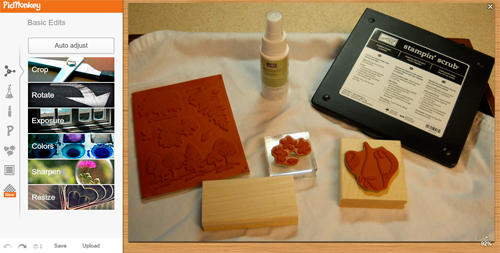
Step 3 Click “Auto Adjust” to brighten and clean up your picture
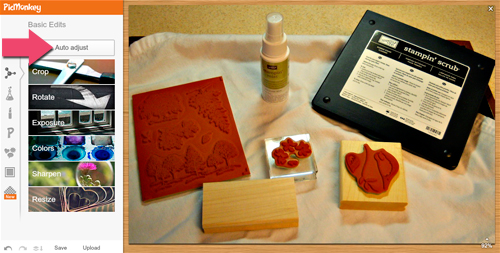
Step 4 Click the little beaker (second icon from the top) on the far left to get the Adjustments Menu
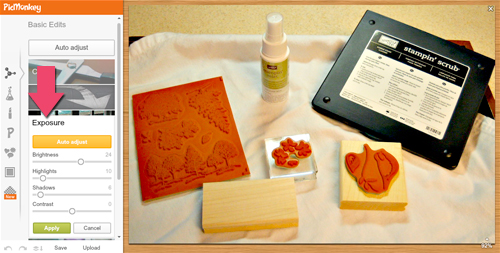
Step 5 Click “Exposure” and then “Auto Adjust”. For the example picture I brightened it even more and added more highlight and shadows. Brighter picture will more likely catch someone’s eye on a board full of pins.
Step 6 Click “Color” and then either click “Auto Adjust” or Click “Neutral Picker” and click on a white section of your picture.
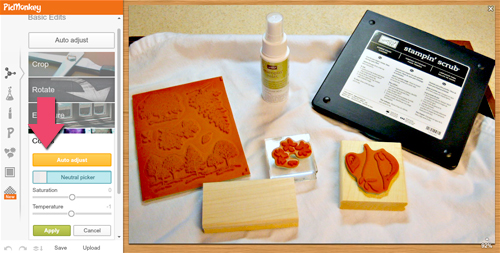
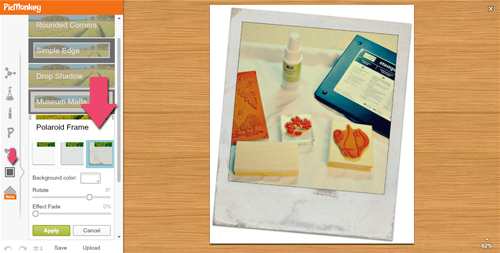
Step 7 Click the icon on the left that looks like a frame around a box.
Step 8 Select a frame for your picture. This is an optional step. I used it because the composition of the picture I was using was a little boring and the Polaroid frame made it pop more.
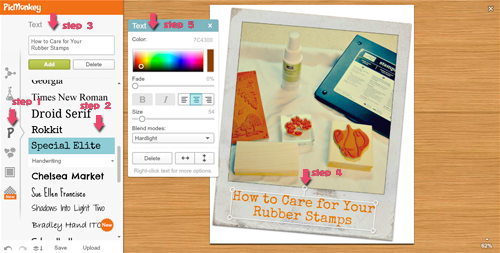
Step 9 Add your text:
- Click the P icon on the far left
- Choose your font
- Enter the title of your post (or what your post is about), click apply
- Adjust the size and angle of the text
- Adjust the color, alignment, and blend mode of your text
Step 10 Save at the highest quality (10)
Before and After:
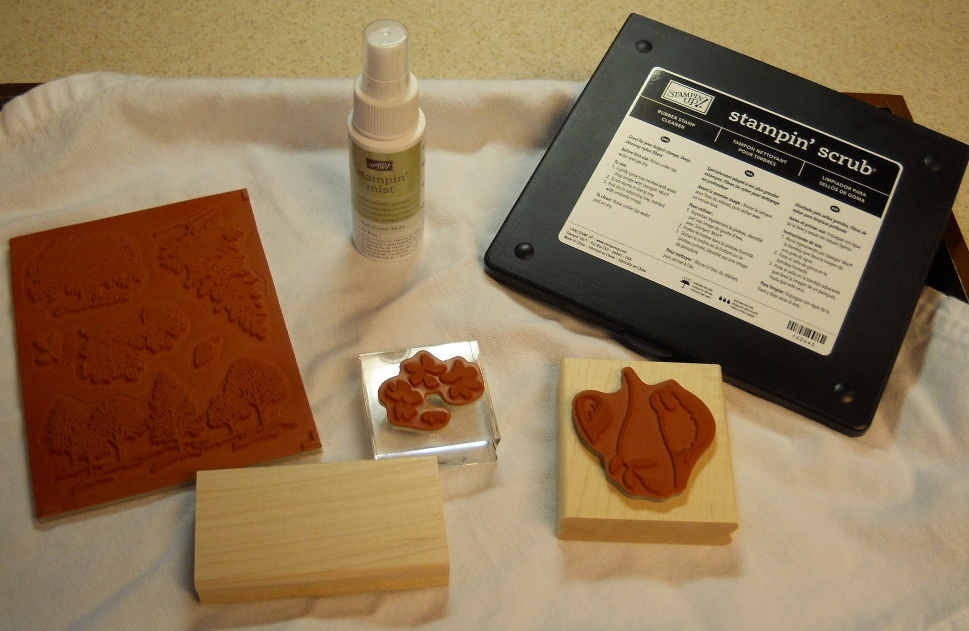
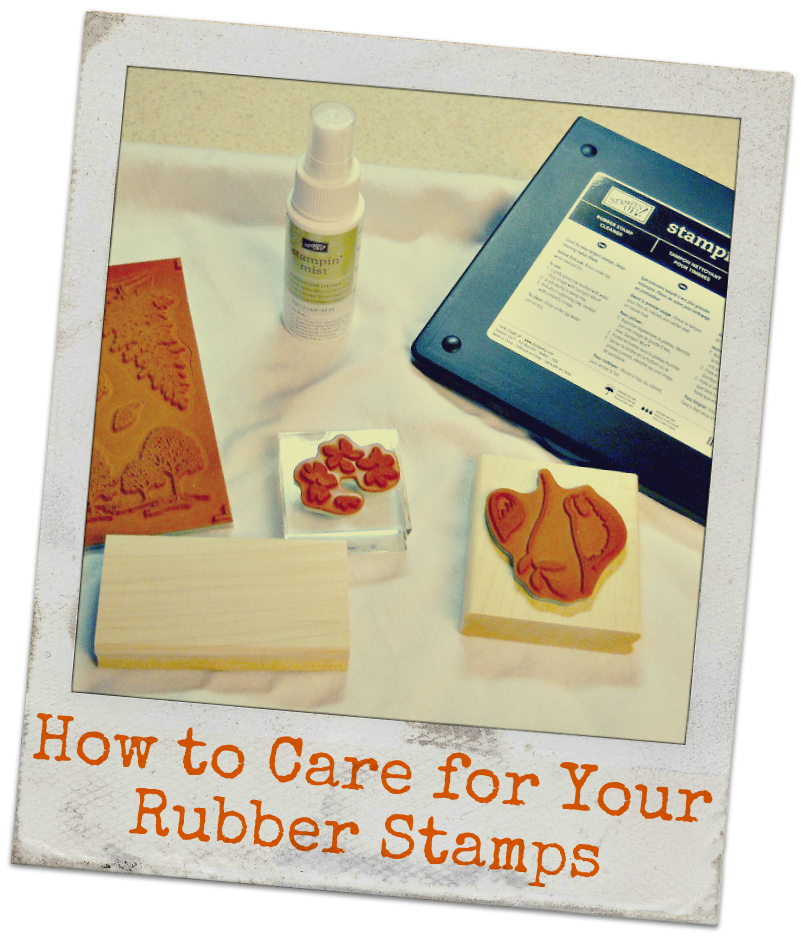
Which would you be more likely to repin?
3 Quick Tips on your Picture & Pinterest
- Take lots of pictures for your post. Then when you are ready to edit you have a few options for the perfect one.
- Lots and lots of light. Direct light is not good, but it’s better than low light. Sit your items next to a window or outside on a cloudy day to get better lighting.
- Ask your blogging buddies to pin your blog post and offer to do the same for them.
I would love to hear if you try creating a Pinterest Perfect Picture and what your results were.





I’ve heard about picmonkey but have yet to use it. Your picture looks great. I don’t specifically create pinterest ready pictures but pin stuff which I like.
Try creating a Pinnable picture for one of your blog posts, describing what they will find when they click the link and have a few friends pin it. See what happens you may be surprised.
Pepper, when you did my picture I replaced it on my site but forgot to pin it until now. I’ve had more repins on that one picture than any picture I’ve pinned, Amazing!
Thank Youy!
I’m so glad to hear that. I have found great success with my posts by just making the posts more pinnable!
I still suck at pinterest but I’ll give this a shot.
I think I should really get an account in Pinterest because it has a lot of use for me.. Thanks for the idea!